Progress & Notifications
Never Miss a Deadline Again
Real-time progress tracking, automated reminders, and daily digests keep your entire team aligned and on schedule.
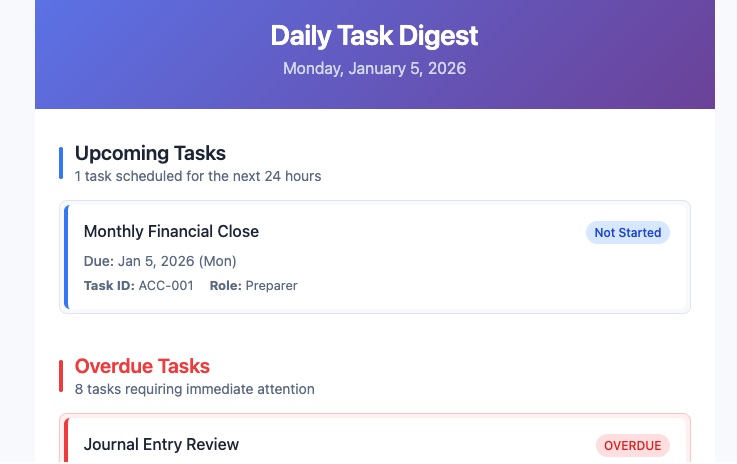
Daily Digest Notifications
Every morning, team members receive a personalized daily digest summarizing their upcoming deadlines, overdue tasks, and recent activity. Managers get a broader view showing their team's overall progress and any tasks at risk of falling behind.
No more checking in with each person individually or scrolling through chat threads to find status updates. The daily digest puts everything in one clear, actionable email that takes seconds to scan.
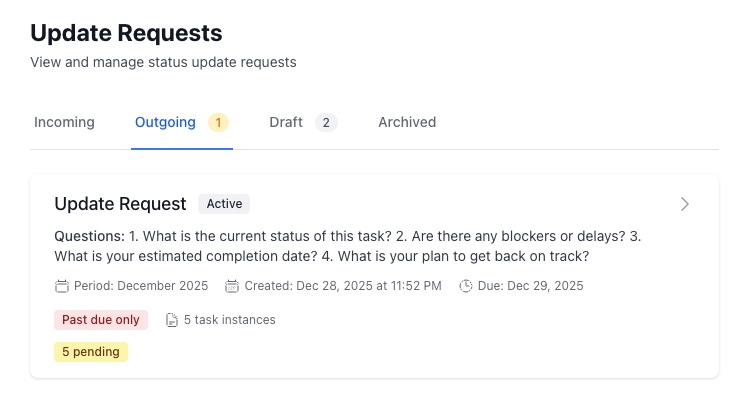
Update Requests That Get Answers
Need a status update from a team member? Send an update request directly from TaskCalendars. The assignee receives a notification and can respond with their progress right from the task — no email chains, no lost messages, no chasing people down in Slack.
All update requests and responses are logged on the task itself, creating a clear audit trail of communication. Managers can see exactly when updates were requested and when responses came in, helping identify bottlenecks before they become problems.
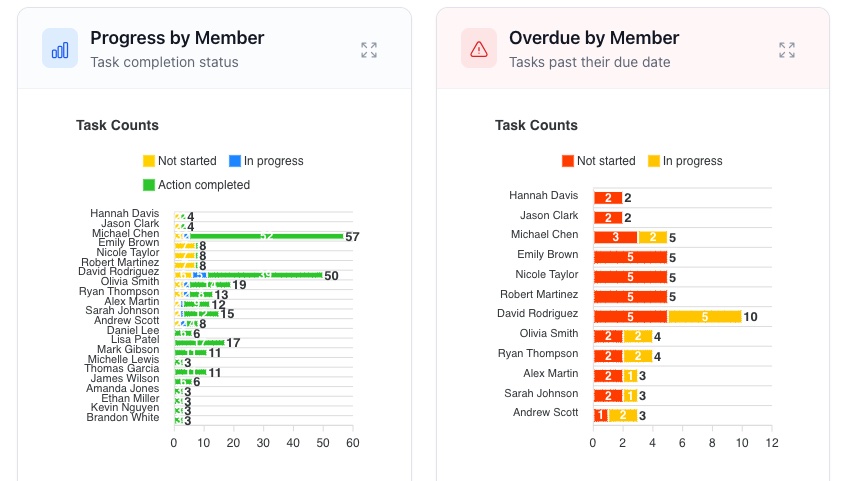
Real-Time Visibility Into Every Task
The dashboard gives managers and team leads instant visibility into task progress across the entire organization. See at a glance which tasks are on track, which are at risk, and which are overdue — without asking anyone for a status report.
Automated reminders are sent before deadlines approach and escalate when tasks become overdue. Configure reminder timing to match your workflow — whether that's one day before, three days before, or a custom schedule that fits your team's rhythm.
Explore More Features
Keep Your Team on Track
Automated notifications and real-time tracking eliminate the guesswork from task management.